
中国广东省东莞市凤岗镇玉湖路9号B栋8F
anja@flsrfidpro.com+852 46090773
在 24 小时内回复
Desktop RFID Reader
Desktop RFID Reader
Desktop RFID Reader
+

Desktop RFID Reader

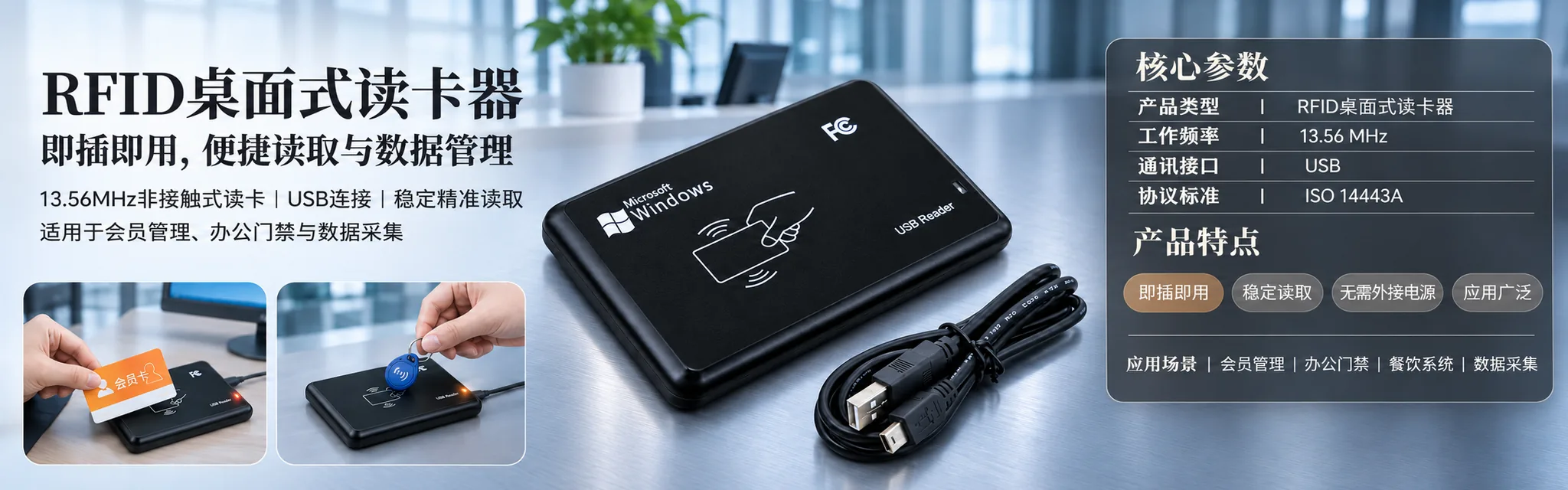
紧凑型 USB 桌面 RFID 读写器,适用于发卡:13.56 MHz 高频(提供低频/高频/超高频型号),支持 MIFARE S50/S70 及 ISO 14443A 卡片,读取距离 0–80 毫米,读取速度 0.2 秒,总线供电电流 100 mA,兼容 Windows XP/CE/7/10、Vista、Linux 和 Android 系统。

CategoryHF Reader
Views1,784
Total Sold640,358
SpecificationHF desktop model, 13.56 MHz, MIFARE S50/S70, USB, black / HF + LF dual-band desktop model, 13.56 MHz + 125 kHz, USB, black
Price联系询价
Download Specification
ItemSpecificationNote
工作频率13.56 MHz(支持 LF/HF/UHF 型号)HF standard; LF and UHF variants in the same housing
Supported cardsMIFARE S50/S70 及其他 ISO 14443A 卡Ask for the card list of your site
读取距离0–80 毫米Card flat and centred on the marked area
Read speed0.2 sRead time under 100 ms
Read interval0.5 sBetween consecutive reads
界面USBBus-powered, 100 mA
操作系统Windows XP / CE / 7 / 10, Vista, Linux, AndroidDriver package supplied
Output format10-digit decimal (4 bytes) defaultCustom formats on request
FeedbackBuzzer with controllable LED and buzzer可通过软件静音
尺寸104 × 68 × 10 毫米Desk footprint of a phone
材质PCBlack housing
颜色黑色—
重量140 g—
Operating current100 mANo external power supply
工作温度-20 至 70 °CIndoor use

Model selection

ModelFrequencyChip / card familyInterface最佳用途
HF desktop13.56 MHzMIFARE S50/S70, ISO 14443AUSBAccess control, membership, canteen and campus cards
高频 + 低频双频13.56 MHz + 125 kHzMIFARE plus legacy LF ID cardsUSB从旧版 LF 卡迁移的网站
UHF desktopUHFUHF labels and tagsUSBLabel writing and small-batch encoding
OEM board version已下单已下单USB / 串行Integration into a kiosk or a counter terminal

Factory inspection sheet

CheckPass criteria失败时操作
读取距离Reads the test card at 0–80 mm across the marked area重新测试;拒收该设备
Card compatibilityReads and writes MIFARE S50/S70 test cardsRe-flash firmware or reject
USB enumerationEnumerates on the listed operating systemsRe-test on a second PC; reject if repeatable
LED and buzzer每次读取时均会响应Reject the unit
HousingNo scratches, no moulding flash, label alignedReject the unit

Application scenarios

Front-desk card issuance and membership

At a hotel or club reception the reader sits beside the PC, takes the card flat on its surface and writes the member or room record in a fraction of a second. No external power supply means one cable on the counter and no extra socket to find.
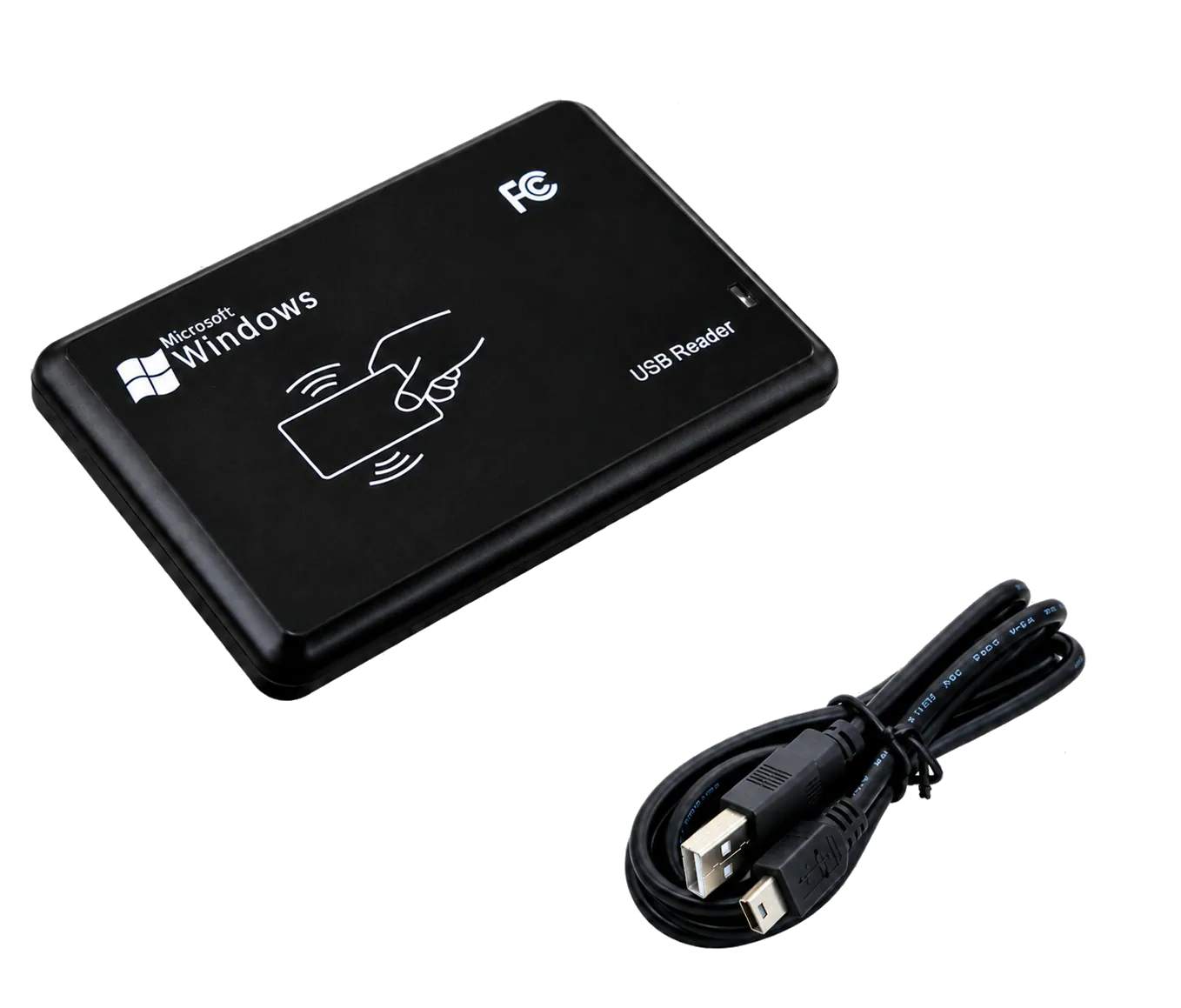
Black desktop RFID reader ready on a desk

门禁卡初始化

Security teams initialise cards in batches before a site goes live. The 0.5 s read interval and the LED/buzzer feedback keep a batch moving, while the read-back check catches a card that failed to write before it reaches the door.
Blank white card ready for encoding

Small-batch writing and testing

适用于实验室、维修台或小规模卡片项目:该读卡器无需专用编码器即可读取 UID、写入扇区并验证卡片,也是批量测试即将交付用户的卡片的快捷方式。
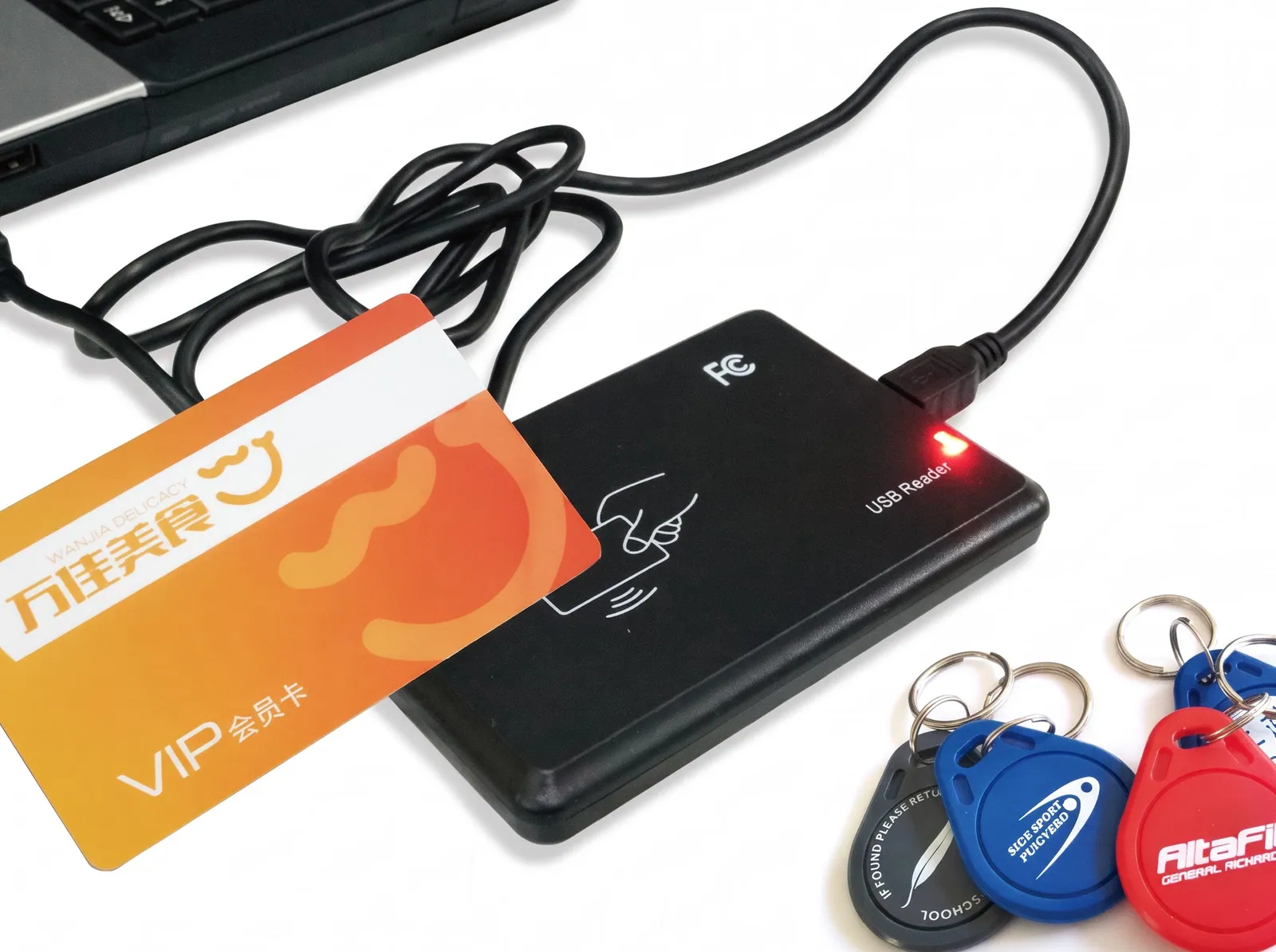
Desktop reader with a card and key tags on a desk

即插即用,桌面阅读器即刻开始工作

Card issuance fails at the small things: a reader that needs a separate power supply, a driver that only exists for one Windows version, a read zone so wide that two cards on the desk answer at once. The Desktop RFID Reader avoids all three. It is a 104 × 68 × 10 mm, 140 g USB device that takes its 100 mA from the port, reads at 0–80 mm and answers in 0.2 seconds.

The standard model works at 13.56 MHz with MIFARE S50/S70 and other ISO 14443A cards. LF and UHF models are available in the same housing for sites that run more than one card population.

黑色 USB 桌面式 RFID 读卡器(含 USB 线缆)

步骤 1 — 仅安装一次驱动程序

该阅读器支持 Windows XP、Windows CE、Windows 7、Windows 10、Windows Vista、Linux 和 Android 的驱动程序。请安装与前台 PC 操作系统匹配的驱动包,然后连接阅读器(切勿先连接设备再装驱动)。对于受限的前台电脑,请在首班班次前联系 IT 部门将驱动加入白名单,以避免在顾客排队时进行安装。

If the site runs several desks, install once and clone the image. Nothing in the reader is tied to a single PC.

Step 2 — Connect over USB

Plug the supplied cable into any USB port. The reader draws 100 mA, so no external power supply and no powered hub is needed. The LED lights when the device enumerates, and the buzzer confirms a card read; both are controllable from the software if the default feedback is too loud for a quiet reception area.

Keep the reader on a flat surface with the antenna face up. A metal desk edge or a stack of cards directly under the reader will shorten the read zone.

Step 3 — Place the card

Lay the card flat on the marked area, inside 0–80 mm. The read completes in 0.2 seconds, with a read time under 100 ms and a 0.5 second interval between reads — fast enough that reception can move a queue without waiting for a beep. Hold the card still rather than tapping it: the reader is designed for a card resting on the surface, and a moving card at the edge of the zone is the usual cause of a missed read.

Output is a 10-digit decimal string by default; custom output formats are available if the membership or access-control software expects another layout.

A blank white card on a desk, ready to be read

步骤 4 — 编写、编码和签发

With the card on the reader, the software can read the UID, write sector data and verify the result before the card is handed over. For MIFARE S50/S70 that means sector keys, block writes and a read-back check; for a membership system it means writing the member number and checking it against the registration record. The reader is a read/write device, not a read-only head.

Keep the keys and the member data in your system. The reader passes them through; it does not store a card database of its own.

Desktop RFID reader on a desk with a card and key tags

HF 桌面或 HF + LF 双频段

The HF desktop model is the standard choice for 13.56 MHz MIFARE and ISO 14443A cards: access control, membership, canteen and campus cards. The HF + LF dual-band model adds 125 kHz for sites that still hold legacy ID cards or tokens, so one reader at the desk can handle both populations during a migration.

A UHF model is also available in the same housing where the application is UHF labels rather than cards. Choose by the cards in the drawer, not by the technology label on the box.

Care, cleaning and troubleshooting

Wipe the housing with a dry or slightly damp cloth; avoid solvent, which dulls the PC surface. Keep the reader away from the edge of the counter and out of direct sunlight. If a card does not read, try it flat and centred before suspecting the reader, then test a known-good card to separate a card fault from a reader fault.

Operating temperature is -20 to 70 °C, which covers a normal indoor desk. For an unheated lobby or an outdoor kiosk, ask about the environmental range before specifying.